It is 2:14 PM on a Tuesday. On the production floor of a mid-sized logistics hub, a forklift driver clips a racking unit. It’s not a catastrophe, but it’s a "real" injury, the driver’s shoulder is wrenched, and he’s headed to the clinic.
By 3:00 PM, the shift supervisor has done exactly what they were trained to do: they filled out a paper incident report, put it in the "To Be Processed" tray, and got the line moving again. In their mind, the job is done.
In reality, the clock just started a high-stakes race across three different departments, and the supervisor’s "done" is actually a bottleneck that will cost the company thousands of dollars in four days.
The Mirage of "Done"
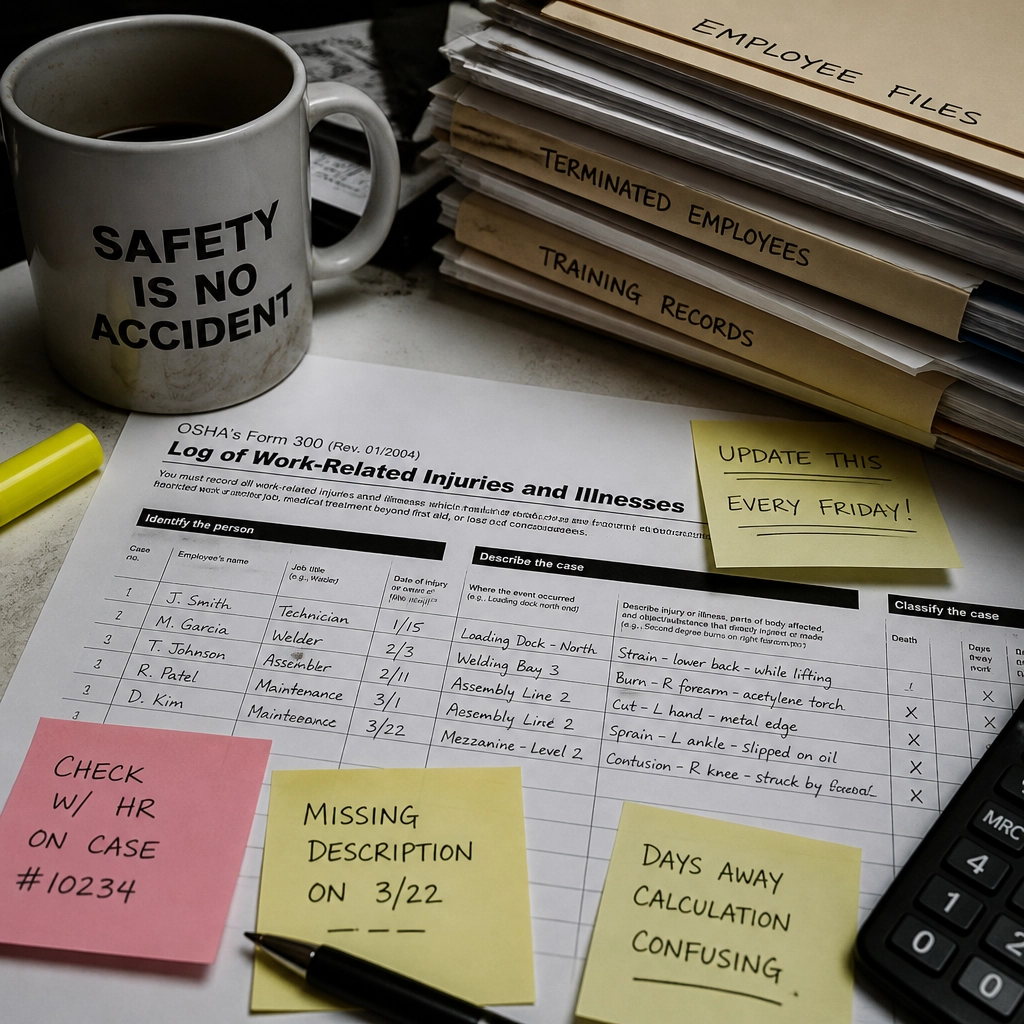
Most organizations treat OSHA incident reporting as a paperwork task. You fill out the form, you file the form, and you are "compliant."
But compliance isn’t a state of being; it’s a sequence of coordinated actions. The moment that injury occurred, multiple regulatory and operational timers began ticking:
- The OSHA 7-Day Clock: You have exactly seven calendar days to record a recordable injury on your OSHA 300 Log and complete the 301 Incident Report.
- The FMLA 5-Day Clock: Under federal law, once you have enough information to know an absence might be for an FMLA-qualifying reason, you have only five business days to provide an eligibility notice to the employee.
- The Workers’ Comp Window: While state laws vary, most requires a First Report of Injury (FROI) within 7 to 14 days to avoid penalties and ensure the claim is handled efficiently.
When the supervisor leaves that report in a physical tray or an isolated email inbox, they haven't "filed" anything. They’ve created a "coordination debt." If HR doesn't see that report until Friday morning, they are already behind on FMLA notices and are sprinting to hit the OSHA recording deadline.
The Buyer Problem: The Handoff is Where Information Dies
The biggest risk in your organization isn't a lack of safety gear; it's the "handoff problem."
In high-stakes industries like manufacturing or food production, information is fragmented by design. Safety teams care about the root cause. HR cares about the leave and the claim. Operations cares about the shift coverage.

Because these teams use different tools, or worse, a mix of spreadsheets and paper, the work becomes invisible.
- The Spreadsheet Trap: A safety manager maintains a "Master Incident Log" in Excel. HR maintains a separate "Workers' Comp Tracker." When the data doesn't match (and it never does), someone spends four hours on a Friday afternoon reconciling dates and names instead of managing the actual risk.
- Latent Liability: If HR doesn't know an injury happened, they can't start the interactive process for an ADA accommodation or send the required FMLA paperwork. By the time they find out, the employee has been out for a week, and the company is already in violation of federal notice requirements.
We tend to blame people for these delays. We say the supervisor "forgot" or HR was "slow." But the reality is that the system failed them. You are asking people to use their memory to solve a data coordination problem.
The Traditional Approach: Throwing People at the Problem
The standard way to solve this is to hire more "coordinators" or create more "checklists." You tell the supervisors to email HR and Safety and the General Manager every time someone gets a scratch.
The result? Inbox fatigue. Important incidents get buried under a mountain of "near-miss" CC emails. The "work" of reporting becomes so burdensome that people start to under-report just to keep the lines running.
This approach treats the symptom (late paperwork) but ignores the disease (disconnected data). Documentation doesn't reduce risk; execution does. If your documentation is a record of a late filing, all you’ve done is document your own non-compliance.
A Better Way: Incident-Triggered Coordination
Modern workplace operations require a shift in perspective. An incident shouldn't be a "destination" for a form; it should be a "trigger" for a workflow.
When an injury is logged into OSHA incident reporting software, the system should automatically understand what happens next:
- Instant Visibility: HR is notified immediately that a Workers' Comp claim may be needed.
- Automated Timelines: The system flags that an FMLA notice is due in 5 days and an OSHA 300 entry is due in 7.
- Cross-Functional Accountability: The work is assigned, tracked, and visible to everyone who needs to see it.
The goal isn't just to fill out a 301 form. The goal is to ensure that while Safety is investigating the forklift, HR is protecting the company’s legal flank, and Operations is planning for the return-to-work.
How InfraNet HR Solves the Coordination Race
At InfraNet HR, we don't build "case management software" in the traditional sense. We build an operational intelligence platform that connects the fragmented pieces of your workforce data.
When a supervisor logs an incident in InfraNet, they aren't just sending an email. They are initiating a coordinated response across the entire organization.
- Integrated Workforce Management: Our platform bridges the gap between Safety & Incident Management and Leave & Accommodation. Data entered once flows everywhere it's needed.
- Automated OSHA Logs: We automate the creation of OSHA 300 and 300A logs, ensuring that you aren't scrambling every February to reconstruct what happened last July.
- Compliance Guardrails: Our system tracks the 7-day OSHA window and FMLA notice periods for you. If a task is lagging, the system surfaces the liability before it becomes a fine.
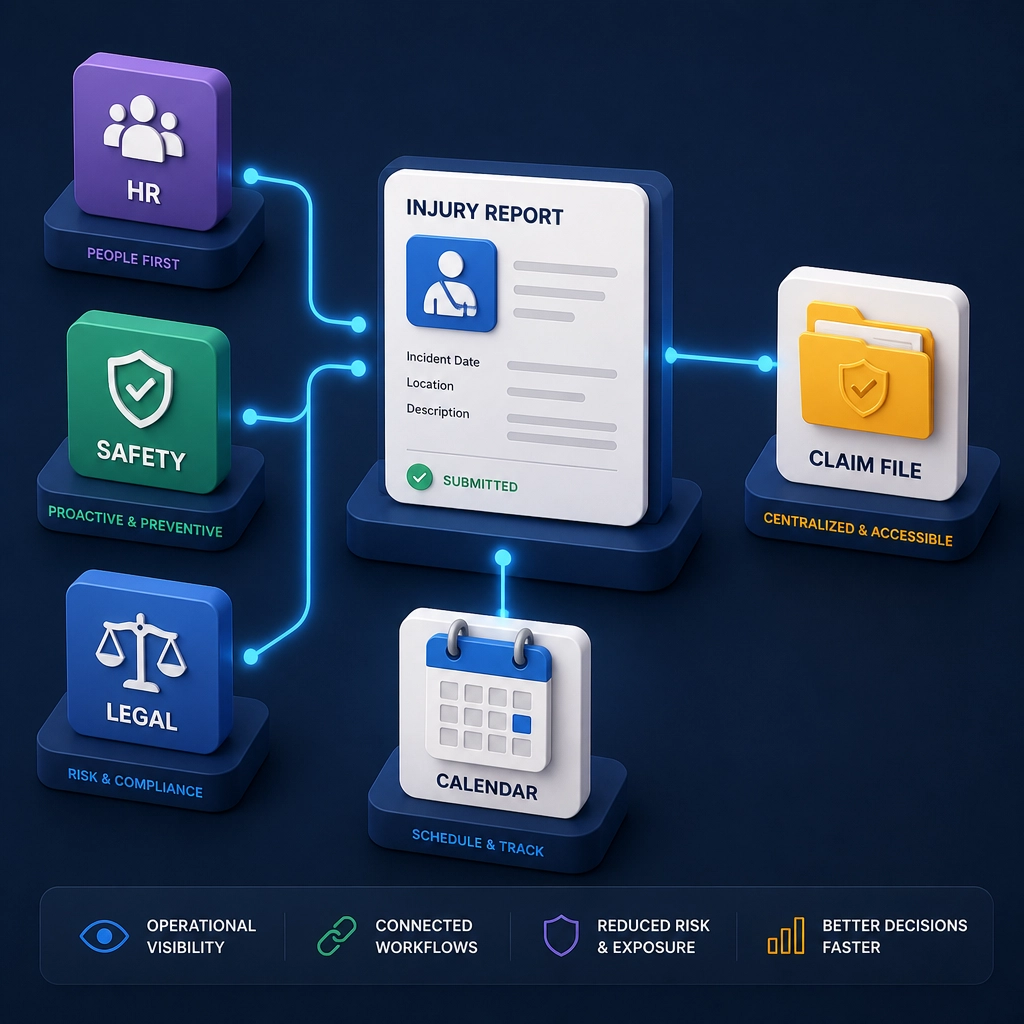
The challenge of workplace management isn't doing the work, it's coordinating the work that happens because an event occurred. When you stop treating OSHA as a paperwork task and start treating it as a coordination race, you don't just stay compliant; you build a more responsive, lower-risk organization.
Frequently Asked Questions
1. How long do I have to record an injury on the OSHA 300 log?
You must enter each recordable injury or illness on the OSHA 300 Log and complete the Form 301 Incident Report within seven (7) calendar days of receiving information that a recordable case has occurred, per OSHA standard 1904.29.
2. What is the difference between recording and reporting to OSHA?
"Recording" is the act of putting an incident on your internal 300 log within 7 days. "Reporting" refers to the immediate notification of OSHA for severe events: 8 hours for a fatality and 24 hours for an inpatient hospitalization, amputation, or loss of an eye.
3. Does every injury need to be on the OSHA 300 log?
No. Only "recordable" injuries must be logged. This typically includes work-related injuries resulting in death, days away from work, restricted work or transfer to another job, medical treatment beyond first aid, or loss of consciousness.
4. How does OSHA reporting impact FMLA?
They are often triggered by the same event. If an employee is injured at work and misses more than three days, you may have a "serious health condition" under FMLA. You must provide an FMLA Eligibility Notice within 5 business days of learning the leave may be for an FMLA-qualifying reason.
5. Can't I just use a spreadsheet for my OSHA logs?
You can, but it creates "data silos." Spreadsheets don't alert HR when a workers' comp claim is missing, and they don't help you identify patterns across multiple facilities. Modern OSHA incident reporting software provides the cross-departmental visibility that spreadsheets lack.
6. Who is required to submit OSHA logs electronically?
Establishments with 100 or more employees in certain high-hazard industries must now submit data from their OSHA Form 300 and 301, in addition to their Form 300A, to OSHA once a year via the Injury Tracking Application (ITA).
Suggested Further Reading
- The Handoff Problem: Why HR and Safety Teams Struggle to Talk
- Beyond the Spreadsheet: The Case for Integrated Workers' Comp Tracking
- FMLA vs. ADA: Managing the Intersection of Leave and Accommodations
Post Summary:
OSHA reporting is often viewed as a paperwork burden, but it is actually a time-sensitive coordination race between Safety, HR, and Operations. This article explores how fragmented systems lead to missed deadlines and increased liability, and why integrated software is the only way to win the 7-day race.
Meta Description (155 characters):
Stop treating OSHA reporting like paperwork. It’s a 7-day coordination race. Learn how to bridge the gap between Safety and HR to reduce liability and risk.
SEO Title:
OSHA Reporting Software: The 7-Day Race & Coordination Problem